Auto-accept Transactions for Intercompany Journals in Dynamics 365 Business Central
Jianna Fernandez-Johnson
Share This Post
The Auto-accept transactions for intercompany journals feature in Business Central 2022 Wave 1 release makes accounting for two or more companies an easier task for a centralized finance department. It helps minimize the manual setup of intercompany.
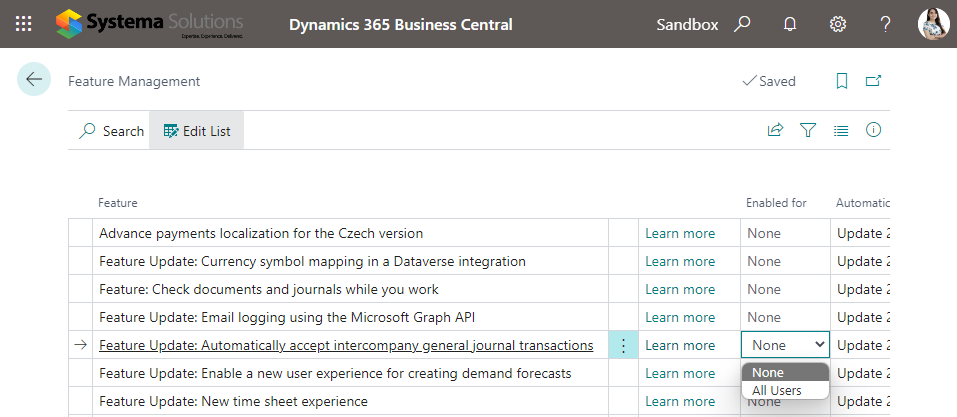
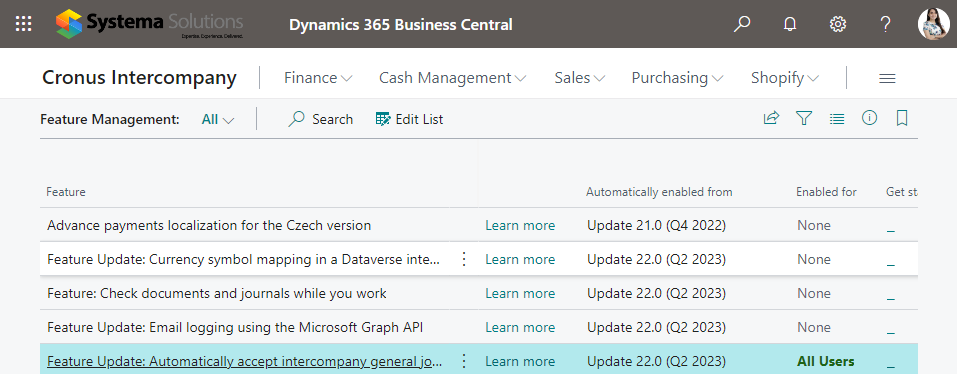
You must have the Feature Update: Automatically accept intercompany general journal transactions feature enabled on the Feature Management page to use this capability.
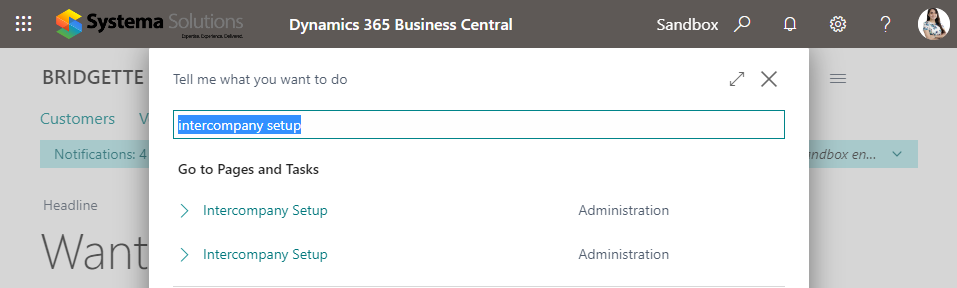
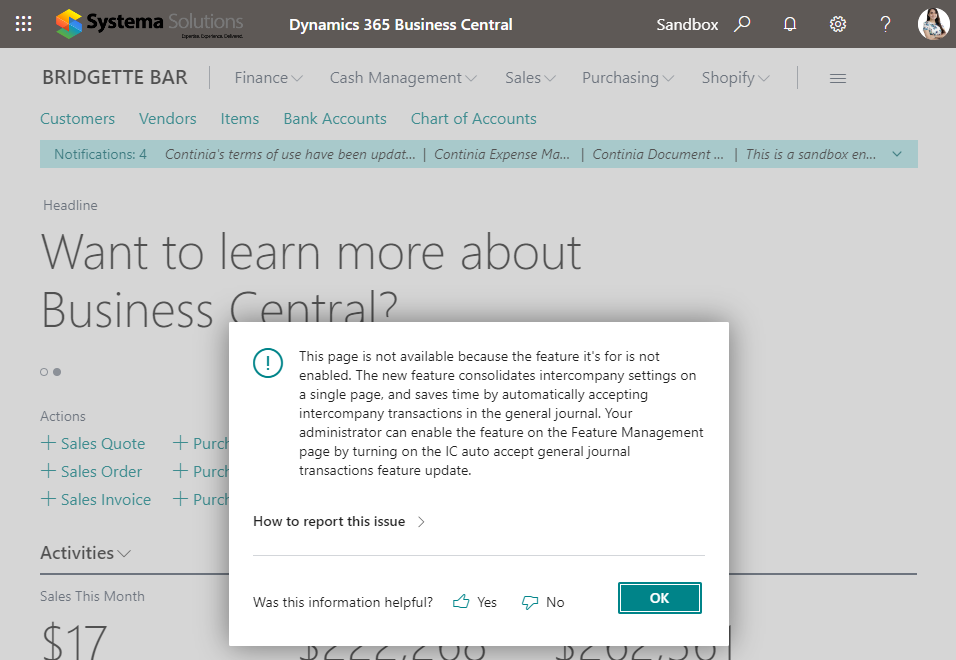
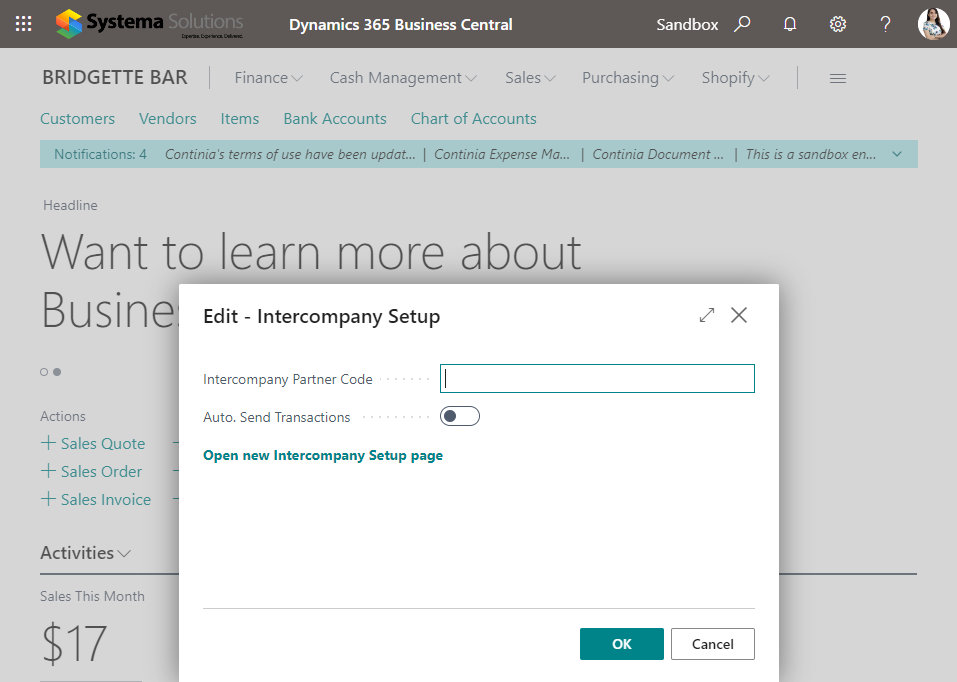
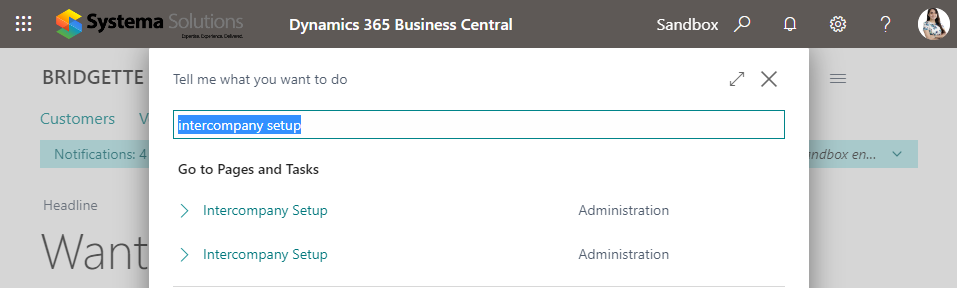
If you do not enable the new feature, you will see two search results for Intercompany Setup.
If you choose the new page, you will be forwarded to the Feature Management page to switch it on.
And the old page will have a link you can select to take you to the new setup page.
Let’s enable this new feature. Go to Feature Management.
Search and Go to Intercompany Setup.
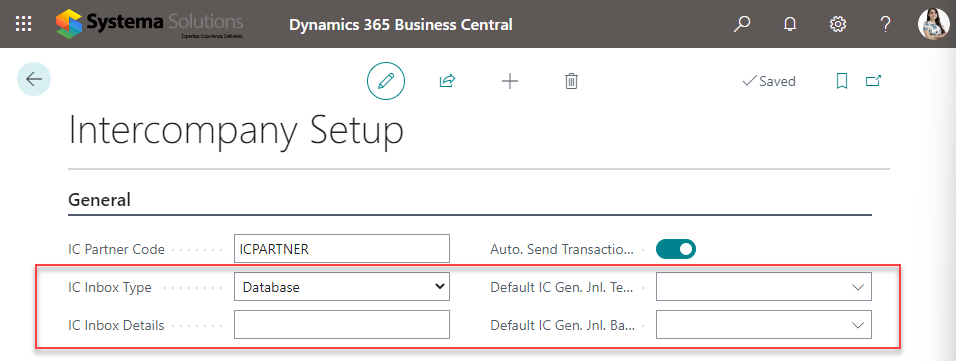
Compared with the old page, four new setups have been added.
Note: The entries are not posted, only created in the journal.
See Business Central’s latest features in action.
We hope you find this new feature useful and interesting. Would you like to see other cool features available in Dynamics 365 Business Central’s latest release? Comment below or book your personalized demo here.
DISCOVER HOW TO MAXIMIZE THE VALUE OF YOUR DATA Not finding the information you need from your current reporting environment? Still relying on time-consuming manual reporting and report consolidation
We answered the common questions that we get from clients about Microsoft Power Apps in this blog. For more information about Microsoft Power Apps or Power Platform, please visit this